
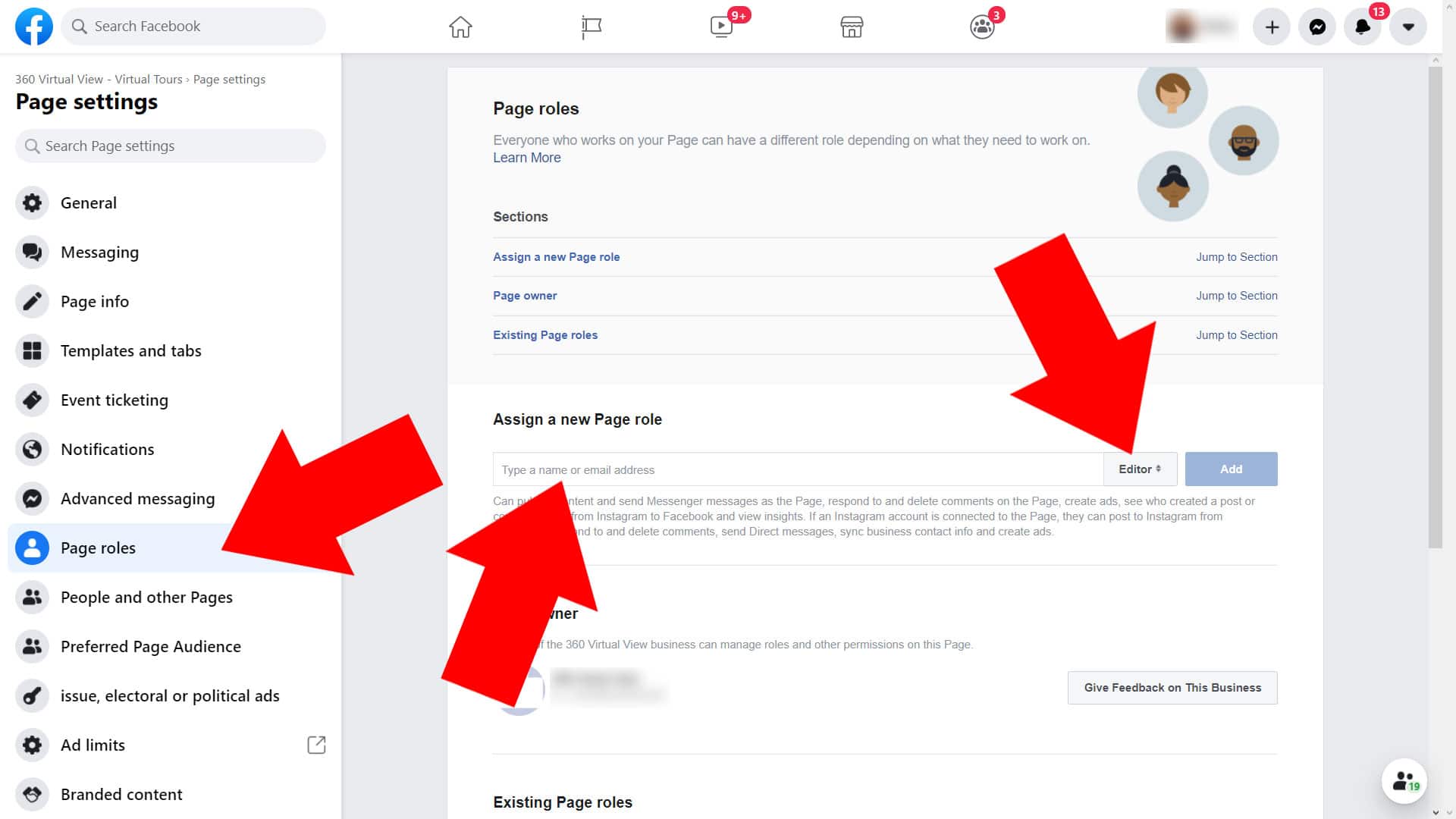
Facebook now describes Page access rather than relying only on the old administrator-role screen. Check whether you have the authority to manage access and whether the Page belongs to a business portfolio.
Find Page access
For the standard Page route, switch into the Page, then open Settings and privacy → Settings → Page setup → Page access. Meta says a person with Facebook access and full control can manage other people’s access. A business-portfolio arrangement may use different administration controls.
Choose the access needed
Give the person the access needed for the work, rather than full control by default. Distinguish Facebook access from task access. Use the person’s own account and the official invitation flow; do not share your login.
Review before removing someone
Confirm who should retain control and that your business has an appropriate recovery route. Full-control access is significant. Review invitations and existing permissions when work ends, without accidentally removing the people responsible for the Page.
The original screenshots show the November 2020 interface. They are preserved as historical illustrations, not the menu path to expect on every current account.
Sources and further reading
Guidance checked 26 October 2026: Meta’s Page-access guidance; Meta’s current Page-access navigation.