
Website security
Browse other topics
- AI & Automation (4)
- Business & Industry (22)
- Content & Copywriting (12)
- Digital Marketing (23)
- Graphic Design & Creative Tools (5)
- Hosting & Maintenance (9)
- Matterport & Property Media (9)
- Microsoft 365 & Email (23)
- Online Safety & Scams (7)
- SEO & AI Search (20)
- Seven Creative News (9)
- Technology & Practical Guides (18)
- Websites & WordPress (12)
-
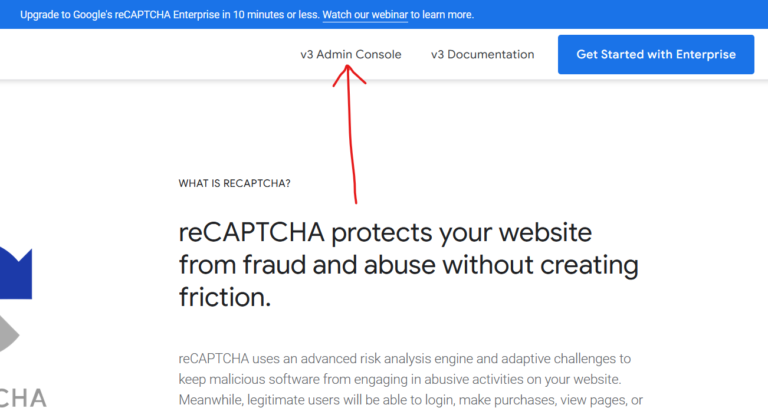
How to remove a website from the reCaptcha admin console in 3 easy steps
Step 1 – log into the reCaptcha console: https://www.google.com/recaptcha/about/ Step 2 – go to the website you’d like to delete from the drop-down then click the ‘settings’ icon Step 3 – from the website reCapcha settings page look at the top-right corner to see the ‘delete’ icon’ What is the Google reCAPTCHA? Google reCAPTCHA is…
-
Adding an SSL certificate to your site – potential problems
Before changing the WordPress address Confirm that the correct domain has a valid TLS certificate and that HTTPS works at the hosting layer. Keep a private file/database backup and a recovery route before changing URLs. HTTPS protects the connection; it does not prove a business or page is honest. Investigate mixed content Use the browser’s…
-
Internet Explorer security flaw – Action you should take.
Historical security notice: the incident and temporary workaround below relate to Internet Explorer in September 2012. Do not treat the old workaround as current protection. Use a supported browser and your organisation’s current security guidance. On 18th September 2012, Microsoft released a temporary fix for a discovered software vulnerability. The security flaw in question allows…