
Technology & Practical Guides
Practical guides to software and digital tools, alongside notes on technology, online culture and useful ideas.
Browse other topics
- AI & Automation (4)
- Business & Industry (22)
- Content & Copywriting (12)
- Digital Marketing (23)
- Graphic Design & Creative Tools (5)
- Hosting & Maintenance (9)
- Matterport & Property Media (9)
- Microsoft 365 & Email (23)
- Online Safety & Scams (7)
- SEO & AI Search (20)
- Seven Creative News (9)
- Technology & Practical Guides (18)
- Websites & WordPress (12)
-

Countries and territories in plain text
This is a copyable reference list of countries and territories, not an authoritative definition of sovereign states or a guaranteed complete current list. The original text download is retained. Copyable country and territory names in plain text Click here to download this page contents as a text file 1. List of continents There are seven…
-
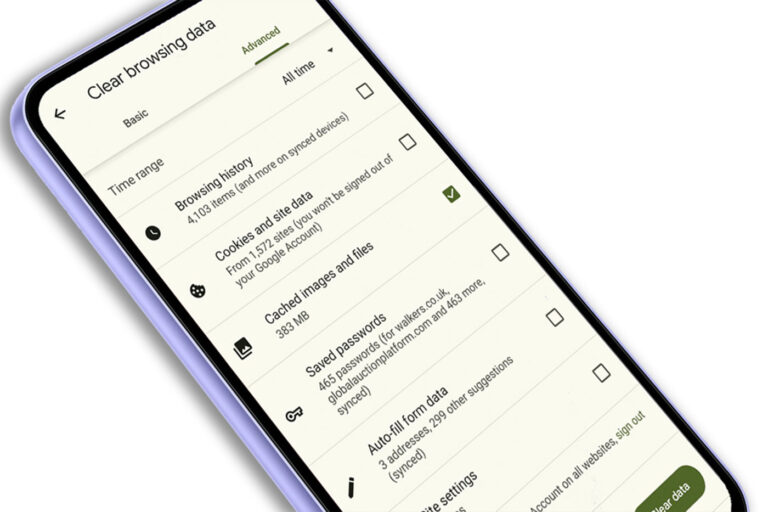
How to Force Refresh Your Web Browser & Why You Might Need to Do It
What is a Browser Cache or Web Cache? A browser cache, sometimes called a web cache, is like a temporary storage space for your internet browser. It stores copies of website files, like images, scripts, and HTML code, on your computer or device. This means the next time you visit the same website, your browser…
-
Lorum Ipsum – dummy text
You know when you just want some dummy text for your website or app, but every link you click on has ads, ad blockers or formatting? Well here is all the Lorum Ipsum you’ll ever need with no strings attached. Just copy and paste Contents: 100 paragraphs of Lorum Ipsum dummy text – formatted as…
-
Windows 7 support has ended — what now?
This article originally discussed the approaching end of Windows 7 support. That deadline has passed: Microsoft ended standard Windows 7 support on 14 January 2020. It should not be treated as a currently supported operating system. Do not follow an old upgrade offer The earlier article suggested a Windows 7 key might activate a free…
-
63rd Birthday of the Peak District National Park Celebrated by Google Doodle
As a digital marketing agency offering social media management, SEO services and web design in Sheffield, it’s always a lovely surprise to see what Google has in store with the latest Google doodles. We love this morning’s doodle, which celebrates the 63rd birthday of the Peak District and Britain’s first national park. The doodle features…
-
Google Doodle Celebrates Thomas Chippendale’s 295th Birthday
Here at Seven Creative web agency and Sheffield SEO company, we’re big fans of the Google doodles. You’ll often hear a little yelp and the words ‘Google doodle!’ from behind a computer whenever we come across one. Today, we are treated to a Google doodle commemorating Thomas Chippendale, the English 18th Century cabinet maker and…
-
Earth Day 2013 celebrated in Google doodle
Google celebrated Earth Day 2013 with a very special, interactive Google doodle this morning. The doodle features the cycle of the seasons and sees the sun and moon rise and set over the image. Users can create wind, make it rain and see animals emerge with the click of their mouse. This fantastic animation marks Earth Day, celebrated…
-
Google Doodle commemorates the Zamboni ice machine
The frosty spell of weather we’ve experienced recently, coupled with the 112th birthday of Frank Zamboni, have inspired the latest google doodle. The interactive doodle features an ice cleaning machine, invented by Frank Zamboni in 1949. Frank Zamboni invented the world’s first self-propelled ice-resurfacing machine. Trademarked in his name, the machine is known as a “Zamboni”. This…
-
Internet Explorer security flaw – Action you should take.
Historical security notice: the incident and temporary workaround below relate to Internet Explorer in September 2012. Do not treat the old workaround as current protection. Use a supported browser and your organisation’s current security guidance. On 18th September 2012, Microsoft released a temporary fix for a discovered software vulnerability. The security flaw in question allows…
-
R.I.P Adobe Flash Player – August 15th 2012
Historical context: the August 2012 date here concerns Flash on Android, not the end of all Flash Player support. Adobe ended Flash Player support on 31 December 2020. Do not install an old player to view archived material. Not so long ago, the only way to have a half-decent looking animation on a website was…
-
Google celebrates Robert Moog’s Birthday
Here at Seven Creative, we think that Google’s celebration of Robert Moog’s 78th Birthday is their best Doodle yet! Robert Moog was the founder of Moog Music, and an American pioneer of electronic music. He is best known for his invention of the Moog synthesizer, and his memory has been celebrated today in a brilliant Google Doodle.…
-
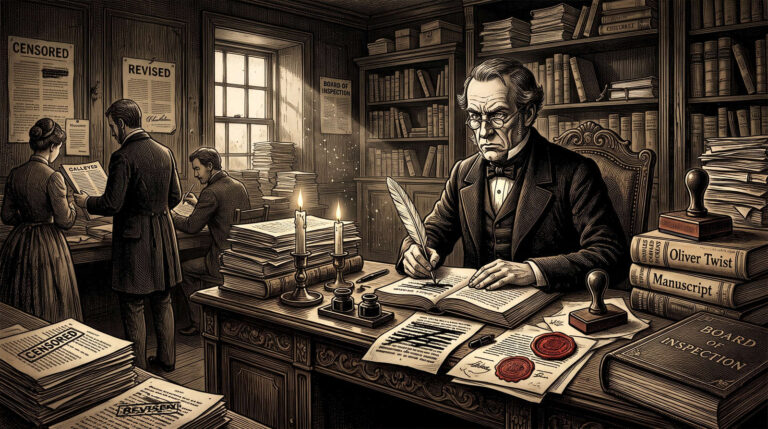
What the D***ens?!
This week, Virgin Media’s electronic programming guide saw offence in innocent words and names, causing them to be censored. The likes of Charles Dickens, Alfred Hitchcock, Arsenal and Jarvis Cocker, became Charles D***ens, Alfred Hitchc**k, A***nal and Jarvis C**ker. And it didn’t stop there. Even the kids were watching D*** and Dom. Virgin Media blamed…
-
Short-cut to easily clear formatting from text in a Word document
Here is a really simple and easy way to clear formatting from text in a Microsoft Word document, for example, when you’ve cut and pasted from a website or another document Very simply highlight the text, press and hold CTRL then press the ‘space bar’ Highlighting the text can be done easily in one of…
-
Take another look at the Amazon Kindle
If you’re anything like me you’ve probably always dismissed the idea of the Amazon Kindle before looking into it in any real detail. I have, however, looked into it in a bit more detail recently and am very impressed by the spec! The following might just sway you too: Here are the other technical specifications…
-
How to create a screen-capture of a web page in Windows
A screenshot is often the simplest way to show a website problem. On current Windows versions you can capture the relevant area without installing a browser extension. Capture the part you need Press Windows + Shift + S to open the screen-capture controls. Choose a rectangular area, a window or the full screen. Drag over…