
Microsoft 365 & Email
Practical Microsoft 365, Exchange and Outlook guides, plus email setup, authentication and deliverability advice.
Browse other topics
- AI & Automation (4)
- Business & Industry (22)
- Content & Copywriting (12)
- Digital Marketing (23)
- Graphic Design & Creative Tools (5)
- Hosting & Maintenance (9)
- Matterport & Property Media (9)
- Microsoft 365 & Email (23)
- Online Safety & Scams (7)
- SEO & AI Search (20)
- Seven Creative News (9)
- Technology & Practical Guides (18)
- Websites & WordPress (12)
-
How clean up your email and reduce spam
A crowded inbox is frustrating, but clicking every “unsubscribe” link in the spam folder is not a safe cleanup method. Separate unwanted legitimate subscriptions from messages you do not trust. Start with the messages you recognise Use the unsubscribe process for a legitimate newsletter you knowingly subscribed to. If you are unsure whether a message…
-
How to add Microsoft Exchange to your mobile devices
Android mobile phone or tablet iPhone or iPad Adding Microsoft Exchange to your mobile device generally involves a few key steps… …regardless of whether you’re using an iPhone, Android, or another smartphone. The primary goal is to configure your device’s mail application to connect to your Exchange server. On most devices you’ll typically start by…
-
Microsoft Exchange – how to update your SPF, DKIM and DMARC records
Microsoft 365 email authentication needs to match your actual domain and sending services. A copied example can be wrong even when it looks similar to your tenant’s records. Map who sends mail List Microsoft 365, website forms, marketing platforms and any other legitimate senders. Check the current DNS and ownership of the change. Do not…
-
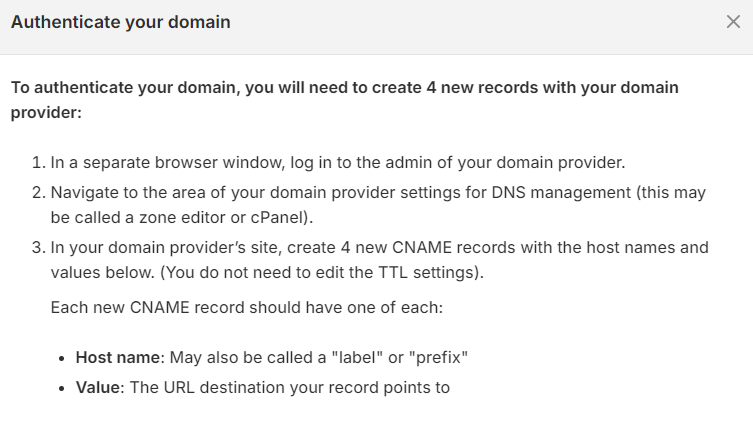
Shopify DMARC authentication for email
If Shopify asks you to authenticate your sender email, use the records shown in your own store. Do not copy another business’s values or assume a DMARC record alone completes the setup. Find the store’s current instructions In Shopify, open Settings → Notifications and look for sender email and email domain authentication. Shopify currently offers…
-

How to change the default browser in Outlook
When you click a link in an email using Windows Outlook (desktop app), by default it opens in a browser window. My default browser was highjacked again by Edge. But I don’t want to use Edge for these links or any others. So I changed the default Outlook browser back to my usual browser. This…
-
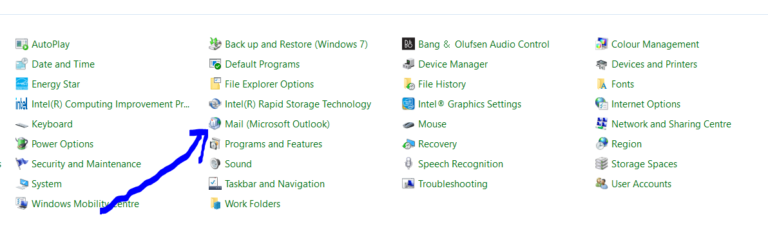
How to remove an IMAP or POP3 account from Outlook 365 (Windows)
1. Open up control panel The fastest way is to normally press the ‘Window’ key (for search) they type in ‘control panel’ 2. Click on ‘Mail’ options 3. Click on ‘Email accounts’ 4. Click on the account you’d like to delete then click the ‘remove’ option 5. Close ‘mail options’, ‘control panel’ and ‘Outlook’ then…
-
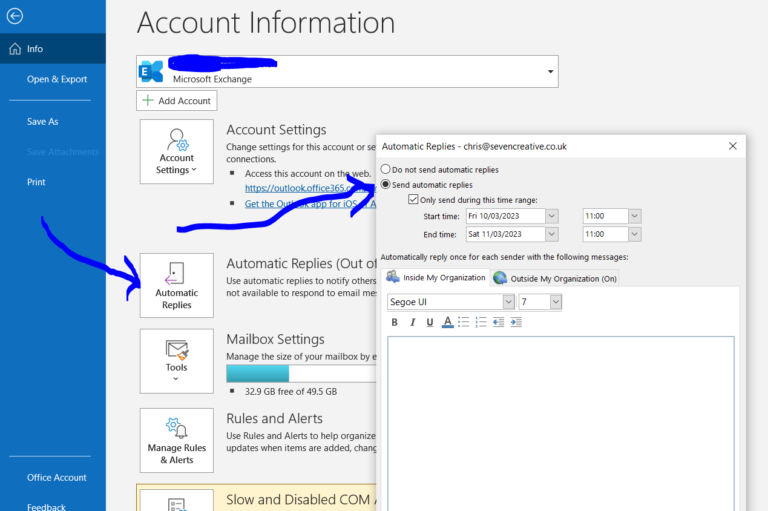
How to send out of office replies with the Outlook 365 desktop app (3-step tutorial)
1. Click on ‘File’ in the top-left corner 2. Click on ‘Automatic replies’ 3. Set your reply and when you want it to send That’s it! Out-of-office replies if you use Microsoft Outlook.com – tutorial you can also set up out-of-office replies if you use Microsoft Outlook.com – otherwise known as ‘Outlook on the Web’.…
-
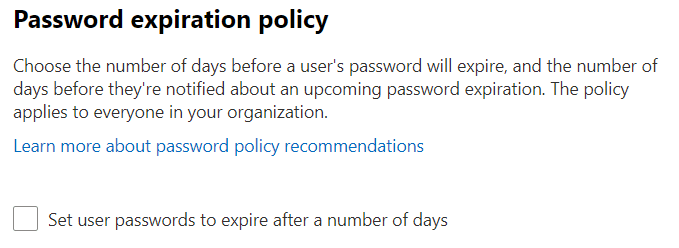
Microsoft Exchange – how to change password reset policy
Password policy for Microsoft 365 is part of the organisation’s identity setup, not simply an Exchange mailbox preference. The right control depends on whether accounts are cloud-managed, synchronised or otherwise managed. Check who manages the identity Confirm the authorised administrator and the source of the account. A setting changed in the wrong system may not…
-
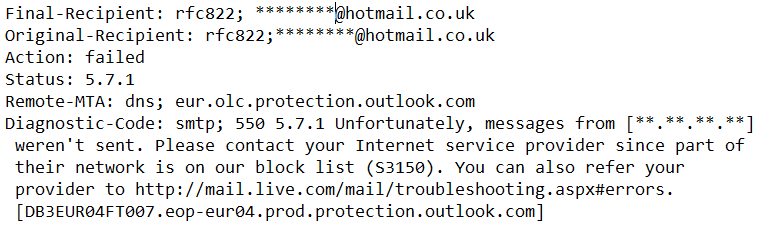
Unable to send email to Hotmail or Outlook addresses – how to remove yourself from the Hotmail block-list
If mail to an Outlook.com or Hotmail address is rejected, keep the full non-delivery report. The exact error, sending IP and sending service matter; “Microsoft blocked us” is not enough to choose a remedy. Identify the actual rejection Record the SMTP code, affected recipients and when it started. Keep private message content out of public…
-
Microsoft Exchange hacked? What now?
If someone may have accessed your business email, treat it as an incident rather than just an annoying password problem. Contact your organisation’s administrator through a trusted route and record what you have noticed. Contain the access An authorised administrator should follow Microsoft’s compromised-account process, which includes securing the account and reviewing active access. A…
-
Microsoft Outlook email signature locations
Outlook signatures are not stored in one universal place. First identify whether you use classic Outlook for Windows, new Outlook or Outlook on the web. Copying a Windows folder is not a reliable way to move signatures between all of them. Classic Outlook for Windows For local signature files, open File Explorer, enter %APPDATA%\Microsoft\Signatures in…
-
Microsoft Exchange vs POP email vs free email
For virtually all of us, email is now a fact of life, however, not all email services were created equal. Within my career I’ve seen the first wide-scale early adoption use of business email back in the 90’s, all the way to smart phone with voice assistant here in the 20’s so I’ve certainly seen…
-
What is an ’email alias’?
An email alias is an additional address that delivers to an existing mailbox. For example, an address for enquiries could arrive in a mailbox you already use, rather than requiring a separate login. An alias is not another inbox Messages sent to the alias are handled by the destination mailbox. It does not normally have…
-
Why move to Microsoft Exchange?
It’s the year 2000. We’re at work. We sit in front of our computer, reading and replying to our emails. At the end of the day we turn the computer off. Everything is done… except it’s not! We’re driving home and remember that really important email we forgot to reply to. Did we press send…
-
The ‘Undeliverable Email’ Notifications Problem
A sudden run of “message undeliverable” emails can be confusing, especially when you did not send the messages. One possible cause is sender-address spoofing, but it is worth checking rather than assuming there is nothing you can do. How spoofed bounces happen Imagine a spammer uses someone else’s address on outgoing messages. Some receiving systems…