
WordPress
Browse other topics
- AI & Automation (4)
- Business & Industry (22)
- Content & Copywriting (12)
- Digital Marketing (23)
- Graphic Design & Creative Tools (5)
- Hosting & Maintenance (9)
- Matterport & Property Media (8)
- Microsoft 365 & Email (23)
- Online Safety & Scams (7)
- SEO & AI Search (20)
- Seven Creative News (8)
- Technology & Practical Guides (18)
- Websites & WordPress (12)
-
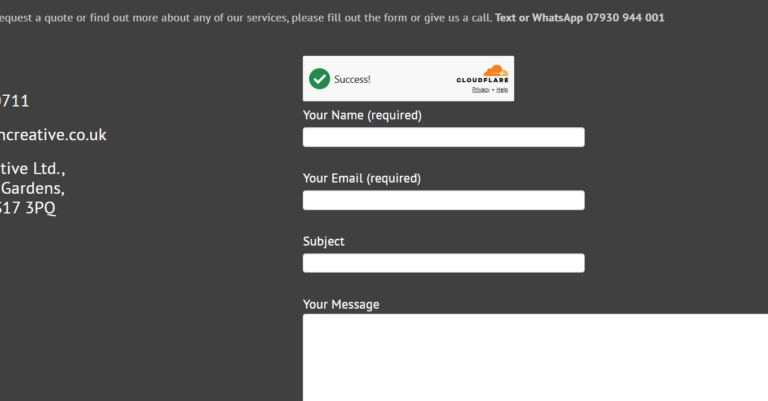
Cloudflare Turnstile – alternative to Google reCAPTCHA
Cloudflare Turnstile is an alternative to an interactive CAPTCHA. Current Contact Form 7 has a native integration, so start there rather than adding a hand-written challenge script or another integration plugin. Create the widget In your Cloudflare account, create a Turnstile widget for the site’s actual hostname. Use the Managed mode recommended by Contact Form…
-
How to enable the WordPress Media Trash
Something you’ll be glad you did if you ever delete images by accident! If you’ve ever accidentally deleted a vital image or document from your WordPress Media Library, only to realise there is no “Undo” button or site backup, you’ll know how it feels. By default, WordPress permanently deletes media files the second you click…
-

Step-by-step guide to manually moving a WordPress site to a new server continuing to use the same domain name
Moving a WordPress site while keeping its domain is a preparation and testing job before it is a DNS change. This is the order I would work through. If the site is business-critical or unfamiliar, involve someone who can manage the move and rollback. 1. Record the current setup List the site, database, uploads, custom…
-

How to fix WordPress error “Updating failed. Could not update post in the database”
The WordPress error message “Updating failed. Could not update post in the database” appears when the system is unable to save changes to a post or page. This error typically involves a breakdown in communication between WordPress and its underlying database, preventing updates from being committed. However, if this problem affects only certain posts or…
-
Changing your WordPress site language to English (UK)
WordPress can use English (UK) for its interface. The site-wide language and your own dashboard language are separate settings, so check which one you want to change. Set the site language With an account authorised to change site settings, go to Settings → General → Site Language. Choose English (UK), then save. WordPress may need…
-
How to reactivate the WordPress Links Manager
If like me you’ve been using WordPress since the beginning – or at least prior to December 2012, you might remember the old WordPress Links Manager (sometimes also known as Blogroll). However, this functionality was removed by default from WordPress version 3.5 onward. Yes, on the one-hand, links like that are a bit old-fashioned, however,…
-
How to get Contact Form 7 check-boxes and buttons on new lines
If you’re using Contact Form 7 on your WordPress site for the contact form, you may have come across an annoying little problem when you add checkboxes or radio buttons and they all appear one after another on one line. Unfortunately there isn’t currently an easy or quick fix for this as the best solution…
-
Need to change your WordPress login password in the database? Here’s how
Sometimes you just can’t reset your WordPress password. Maybe you don’t have access to the associated email address or maybe the site isn’t able to relay reminder emails. Whatever the reason, it’s possible to change manage WordPress users and your username and password directly in the database. However, before you start, firstly, make sure you’ve…
-
Images upload fine but don’t display in the WordPress media manager – how to fix
If an image appears to upload but the Media Library shows a blank tile, first establish whether the file exists and whether its URL loads. Permissions are one possible cause, not a diagnosis on their own. Check the file and request Try an authorised, non-sensitive test upload. Inspect the failed image request and the site’s…
-
How to increase WordPress maximum upload size
If WordPress will not accept a large upload, first check the displayed limit in Media → Add New. There is no universal 32 MB WordPress default: the effective limit depends on the hosting environment and site configuration. Check whether a larger upload is needed For an image, try preparing an appropriately sized copy rather than…
-
WordPress Tutorial – Contact Form 7 with CAPTCHA and Message Log
A contact form needs to accept genuine enquiries as well as reject spam. Adding several unrelated CAPTCHA plugins is not automatically the best answer. Start with the spam protection your current Contact Form 7 version supports. Choose a supported integration Contact Form 7 documents native integrations for Cloudflare Turnstile, reCAPTCHA v3 and Akismet. Choose an…
-
Upgrade Contact Form 7 to reCAPTCHA V3
The vast majority of unwanted website contact form messages (spam) are created by ‘bots’ – software that finds contact forms and sends messages through them. Google’s reCAPTCHA is a way of protecting you against this spam and other types of automated abuse as it attempts to verify that the form is being filled in by…
-
Adding an SSL certificate to your site – potential problems
Before changing the WordPress address Confirm that the correct domain has a valid TLS certificate and that HTTPS works at the hosting layer. Keep a private file/database backup and a recovery route before changing URLs. HTTPS protects the connection; it does not prove a business or page is honest. Investigate mixed content Use the browser’s…
-
WordPress – change the default ‘from’ information
The default email address and from name in WordPress notification emails can be easily changed by editing your functions.php file Simply add the following code (remembering to change the email address and name to the ones you want to use instead) add_filter(‘wp_mail_from’, ‘new_mail_from’); add_filter(‘wp_mail_from_name’, ‘new_mail_from_name’); function new_mail_from($old) { return ‘yourname@yourdomain.com’; } function new_mail_from_name($old) { return…